7 Free AI Tools for Small Business Owners That Actually Save Time (2026)
You started your small business to serve customers, not spend hours writing product descriptions, creating social posts, and chasing follow-up emails. AI can handle much of that work, but finding genuinely free tools is harder than it should be. Many “free” AI tools come with short trials, limited features, or hidden costs. The good news? You don't need an expensive AI stack to save time. These 7 free AI tools for small businesses offer useful features without requiring a paid subscription. No hype or bloated lists of free ai tools for small business, just practical tools that can help you work faster, automate routine tasks, and spend more time growing your business. 1. ChatGPT (Free Tier) OpenAI's conversational AI assistant, the tool that kicked off the entire AI boom and remains the most widely used AI chatbot in the world. What the free tier actually gives you Access to GPT-4o mini for everyday conversations, plus limited usage of the more powerful GPT-4o model. You can ask questions, draft text, brainstorm ideas, summarize documents, and get help with basic problem-solving. The free tier resets its usage limits periodically, so you won't hit a hard wall during a normal workday unless you're running very heavy sessions. How a small business owner would actually use it Honest limitation The free tier gives you limited access to GPT-4o, which is the more capable model. During peak usage hours, you may be restricted to GPT-4o mini, which is still good for most writing and brainstorming …
You started your small business to serve customers, not spend hours writing product descriptions, creating social posts, and chasing follow-up emails.
AI can handle much of that work, but finding genuinely free tools is harder than it should be. Many “free” AI tools come with short trials, limited features, or hidden costs.
The good news? You don’t need an expensive AI stack to save time. These 7 free AI tools for small businesses offer useful features without requiring a paid subscription.
No hype or bloated lists of free ai tools for small business, just practical tools that can help you work faster, automate routine tasks, and spend more time growing your business.
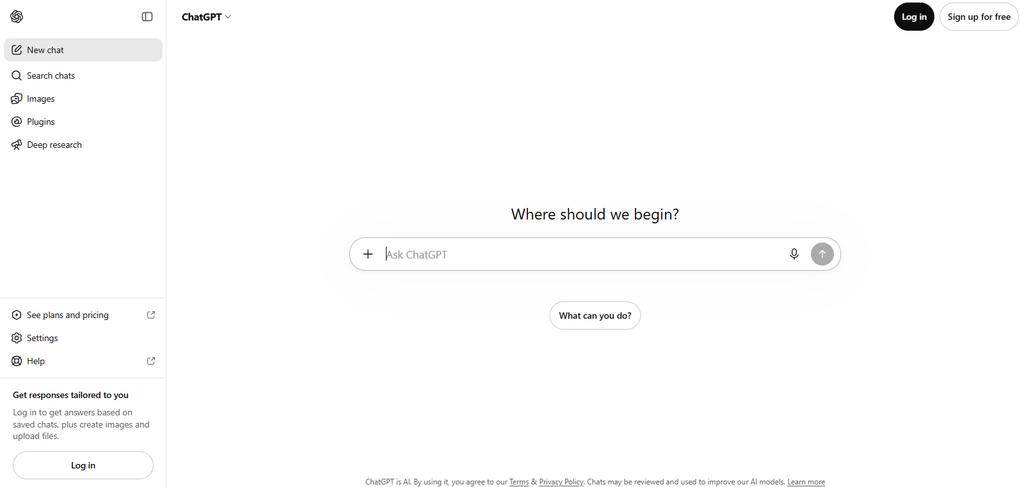
1. ChatGPT (Free Tier)
OpenAI’s conversational AI assistant, the tool that kicked off the entire AI boom and remains the most widely used AI chatbot in the world.
What the free tier actually gives you
Access to GPT-4o mini for everyday conversations, plus limited usage of the more powerful GPT-4o model. You can ask questions, draft text, brainstorm ideas, summarize documents, and get help with basic problem-solving. The free tier resets its usage limits periodically, so you won’t hit a hard wall during a normal workday unless you’re running very heavy sessions.
How a small business owner would actually use it
Drafting product descriptions for your Shopify or Etsy store
Writing email responses to customer complaints
Brainstorming blog post topics or social media content ideas
Summarizing long vendor contracts or supplier agreements
Creating basic business plans or pitch outlines
Honest limitation
The free tier gives you limited access to GPT-4o, which is the more capable model. During peak usage hours, you may be restricted to GPT-4o mini, which is still good for most writing and brainstorming tasks but less reliable for complex reasoning or detailed data analysis. You also don’t get access to advanced features like custom GPTs, file analysis, or image generation on the free plan.
Best for
Any small business owner who needs a general-purpose AI assistant for writing, thinking, and problem-solving throughout the day.
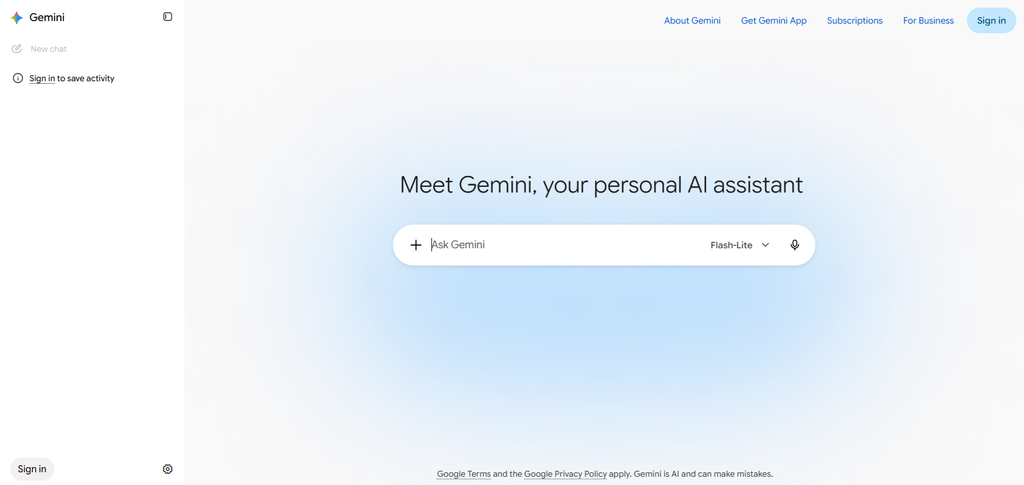
2. Google Gemini (Free Tier)
Google’s AI assistant, built directly into the Google ecosystem you probably already use — Gmail, Google Docs, Google Drive, and Google Search.
What the free tier actually gives you
Access to Google’s Gemini models through gemini.google.com at no cost. You can have conversations, generate text, analyze images you upload, and get help with research. If you use Google Workspace (even the free personal version), Gemini is increasingly integrated into Gmail and Docs, though the depth of that integration varies between free and paid Workspace plans.
How a small business owner would actually use it
Drafting and refining emails directly within Gmail
Summarizing long email threads you don’t have time to read
Generating first drafts of blog posts or newsletters in Google Docs
Analyzing product photos or storefront images for feedback
Researching competitors by combining Gemini’s AI with Google’s search data
Honest limitation
The free tier doesn’t include the full Gemini Advanced experience (which requires a Google One AI Premium subscription). Some of the deeper Workspace integrations — like AI-powered help inside Sheets or Slides — are gated behind paid plans. The free version is strong for chat and basic text generation, but don’t expect it to automate your entire Google Workspace.
Best for
Small business owners who already live inside Gmail, Google Docs, and Google Drive and want AI help without switching to a new platform.
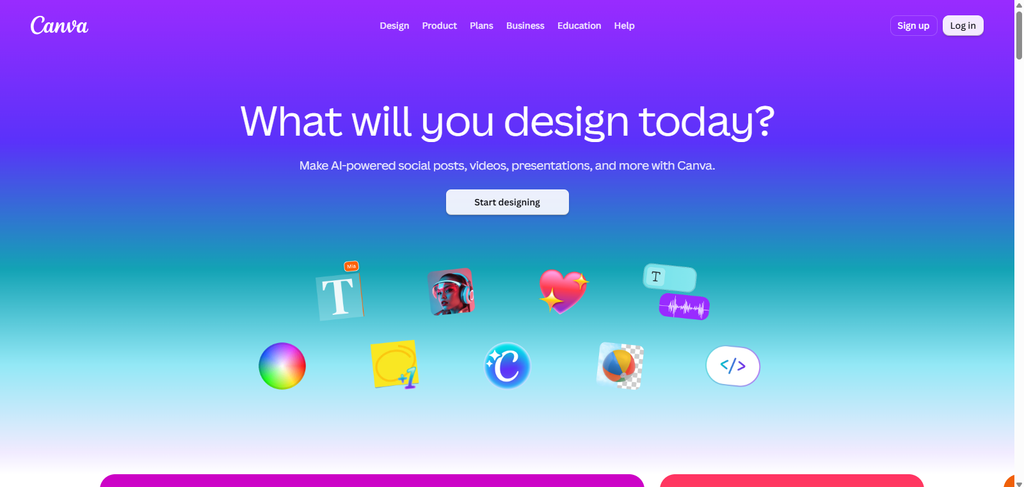
3. Canva Free (with Magic Studio)
A web-based design tool that lets you create social media graphics, flyers, business cards, presentations, and more — no design skills required.
What the free tier actually gives you
Access to Canva’s core design editor with thousands of free templates, plus a selection of AI-powered features under the “Magic Studio” umbrella. This includes Magic Write (AI text generation inside your designs), Magic Media (text-to-image generation with a limited number of free uses), and basic AI-powered editing tools. The free tier is genuinely functional — not a stripped-down demo.
How a small business owner would actually use it
Creating Instagram and Facebook posts for your business without hiring a designer
Designing simple flyers or promotional materials for local events
Generating product mockup images using text-to-image
Writing taglines and captions directly inside your design using Magic Write
Building a basic brand kit (logo, colors, fonts) for consistent visuals
Honest limitation
Many of the best templates, premium stock photos, and advanced AI features (like Background Remover and Magic Resize) are locked behind Canva Pro at roughly $13/month. The free tier’s AI image generation has a limited number of uses that refresh periodically, so you can’t generate unlimited images. It’s enough for occasional use, but if you need daily AI-generated visuals, you’ll hit the cap.
Best for
Small business owners who handle their own marketing visuals and need quick, professional-looking designs without learning Photoshop or hiring a freelancer.
4. Microsoft Copilot (Free)
Microsoft’s AI assistant, accessible through copilot.microsoft.com, the Bing search engine, and the Microsoft Edge browser.
What the free tier actually gives you
Access to an AI chatbot powered by advanced OpenAI models, integrated with real-time web search. This means Copilot can pull current information from the internet to answer your questions — something ChatGPT’s free tier doesn’t always do as seamlessly. You can generate text, create images using DALL-E integration, and get cited sources for research questions.
How a small business owner would actually use it
Researching local market trends with up-to-date web results and source citations
Generating social media images or ad visuals using the built-in image generator
Drafting blog posts or website copy with real-time factual references
Comparing vendor pricing by asking Copilot to search and summarize options
Getting quick answers to business questions with cited sources you can verify
Honest limitation
The free version has usage limits on the number of messages and image generations per session. It doesn’t integrate deeply into Microsoft 365 apps (Word, Excel, PowerPoint) unless you have a paid Copilot Pro or Copilot for Microsoft 365 subscription. The free tier is a powerful chatbot with web access, but it’s not the full “AI assistant inside every Microsoft app” experience you may have seen in ads.
Best for
Small business owners who need AI-powered research with real-time web results and occasional image generation, especially if they already use Microsoft Edge or Bing.
5. HubSpot Free CRM
A customer relationship management platform that helps you track contacts, manage deals, and organize your sales pipeline, with some built-in AI features.
What the free tier actually gives you
HubSpot’s free CRM is one of the most generous free plans in the business software world. You get contact management for up to 1,000,000 contacts (yes, really), deal tracking, email integration with Gmail and Outlook, and basic reporting. On the AI side, HubSpot has been rolling out its Content Assistant and ChatSpot AI features, which help with drafting emails, generating blog ideas, and summarizing contact records. The availability of specific AI features on the free tier can vary as HubSpot updates its platform, but core CRM functionality is permanently free.
How a small business owner would actually use it
Tracking every customer interaction in one place instead of scattered spreadsheets
Setting up automated email sequences for new leads
Using AI-assisted email drafting to respond to inquiries faster
Managing your sales pipeline from first contact to closed deal
Getting a clear view of which leads need follow-up
Honest limitation
The most advanced AI features — like predictive lead scoring, full AI-powered content generation, and custom AI chatbots — are reserved for HubSpot’s paid tiers (Starter, Professional, Enterprise). The free CRM is excellent for organization and basic automation, but if you want the full AI-powered marketing and sales suite, you’ll eventually need to upgrade. Also, the free tier limits some automation workflows and reporting depth.
Best for
Small business owners who are currently managing customers in spreadsheets or their inbox and need a proper system to track leads, deals, and follow-ups — with some AI help along the way.
6. Grammarly (Free Tier)
An AI-powered writing assistant that checks your grammar, spelling, punctuation, and tone across everything you write online.
What the free tier actually gives you
Basic grammar, spelling, and punctuation corrections in real time. Grammarly works as a browser extension (Chrome, Edge, Safari, Firefox), a desktop app, and a keyboard on mobile. The free tier catches the most common and embarrassing writing mistakes — the kind that make your business look unprofessional in client emails, social media posts, and website copy. It uses AI to understand context, so it’s more accurate than a basic spell-checker.
How a small business owner would actually use it
Catching typos and grammar errors in client-facing emails before you hit send
Polishing your website copy and product descriptions
Cleaning up social media captions quickly
Ensuring your invoices and proposals look professional
Avoiding embarrassing mistakes in public-facing communications
Honest limitation
The free tier only covers basic correctness (grammar, spelling, punctuation). It does NOT include Grammarly’s advanced AI features like tone detection, clarity rewrites, vocabulary enhancements, plagiarism checking, or the generative AI writing assistant (GrammarlyGO). Those require Grammarly Premium at roughly $12/month. The free version will keep your writing error-free, but it won’t rewrite your sentences or help you draft content from scratch.
Best for
Small business owners who write a lot of emails, proposals, and customer communications and want to make sure they always look professional — even if English isn’t their first language.
7. Buffer
A social media management tool that lets you schedule posts, manage multiple accounts, and generate content ideas, with a built-in AI assistant.
What the free tier actually gives you
Buffer’s free plan lets you connect up to 3 social media channels and schedule up to 10 posts per channel at a time. The built-in AI Assistant helps you generate post ideas, write captions, and repurpose existing content for different platforms. You can use it to brainstorm hooks, adjust tone, and create variations of a single post for Instagram, LinkedIn, and X (formerly Twitter) without rewriting everything from scratch.
How a small business owner would actually use it
Scheduling a week’s worth of social media posts in one sitting instead of posting manually every day
Using the AI assistant to generate captions when you have a photo but no idea what to write
Repurposing a blog post into multiple social media snippets automatically
Maintaining a consistent posting schedule even during busy weeks
Managing your business’s Instagram, Facebook, and LinkedIn from one dashboard
Honest limitation
The free plan caps you at 3 channels and 10 scheduled posts per channel. If you manage more platforms or need to schedule further ahead, you’ll need the Essentials plan at roughly $6/month per channel. The AI assistant on the free plan has usage limits, so you can’t generate unlimited content variations. It’s enough for a small business posting a few times a week, but not for high-volume social media strategies.
Best for
Small business owners who know they should be posting on social media consistently but never seem to find the time to do it manually.
How These 7 Tools Work Together (A Realistic Daily Workflow)
Here’s what a typical day looks like when you combine these free tools — no paid subscriptions required:
Morning (30 minutes)
Open HubSpot Free CRM to check which leads need follow-up. Use the AI content assistant to draft quick email responses. Run them through Grammarly Free to catch any mistakes before sending.
Midday (20 minutes)
Use ChatGPT or Google Gemini to brainstorm three blog post ideas for the week. Pick the best one and draft an outline. Use Microsoft Copilot to research a few data points and get cited sources for the post.
Afternoon (15 minutes)
Open Canva Free to create two Instagram graphics for the week. Use Magic Write to generate captions. Then open Buffer Free to schedule those posts along with a link to your new blog draft.
Total time invested
About an hour.
Total cost
$0.
That’s not a 10x productivity miracle. It’s just a realistic, honest improvement over doing everything manually, which is exactly what most small business owners need.
What About Paid AI Tools? Are They Worth It?
Eventually, yes. As your business grows, you’ll likely want to upgrade to paid tiers for deeper features. But the right time to pay is when you’ve already built a workflow with free tools and you know exactly which limitations are slowing you down.
Don’t start by paying for five AI subscriptions you’ll barely use. Start free. Build the habit. Then invest strategically.
If you want to explore how consolidating your AI tools — both free and paid — into a single platform can save you even more time and money, check out our guide on What Is an AI Aggregator?. It explains how platforms like Poe and OpenRouter let you access multiple AI models from one dashboard, which becomes especially useful once you outgrow the free tiers.
Frequently Asked Questions
Are these AI tools really free, or is there a hidden catch?
All seven tools on this list have permanent free tiers that don’t require a credit card to sign up. However, each free tier has limitations on features, usage volume, or both. I’ve noted the specific limitations for each tool above so you know exactly what you’re getting.
Which free AI tool should I start with if I can only pick one?
Start with ChatGPT or Google Gemini. They’re the most versatile and will help you with the widest range of daily tasks — writing, brainstorming, research, and problem-solving. Once you’ve built a habit with one of those, add the others based on your specific needs.
Can I use these free AI tools for commercial purposes?
Generally yes. The terms of service for ChatGPT, Gemini, Canva, and the other tools listed here allow commercial use of the outputs you generate. However, always review each tool’s current terms of service, especially if you’re using AI-generated content in regulated industries like healthcare, finance, or legal services.
Will using free AI tools make my business content look generic?
It can if you copy-paste AI output without editing. The key is to use these tools for first drafts and brainstorming, then add your own voice, expertise, and personality before publishing. AI is a starting point, not a finished product.
Do I need technical skills to use these tools?
No. Every tool on this list is designed for non-technical users. If you can type a question into a search bar or drag and drop an image, you can use all seven of these tools. No coding, no setup, no IT department required.
Final Words on Using AI in Your Business
You don’t need a big budget to start using AI in your small business. You need the right tools and a realistic workflow.
These seven free tools cover the core areas where small business owners waste the most time: writing, design, research, customer management, social media, and communication. None of them will magically run your business for you. But together, they can give you back a few hours every week — and that’s worth more than any subscription.