Key takeaways
- Choosing the right AI tool takes 7 steps, from defining one need to keeping a backup tool.
- 10 criteria separate AI tools: accuracy, privacy, security, cost, integration, reproducibility, scalability, user experience, bias, and copyright.
- A test on real inputs shows more than a vendor’s feature list.
- Net savings after review and correction time decide the real cost.
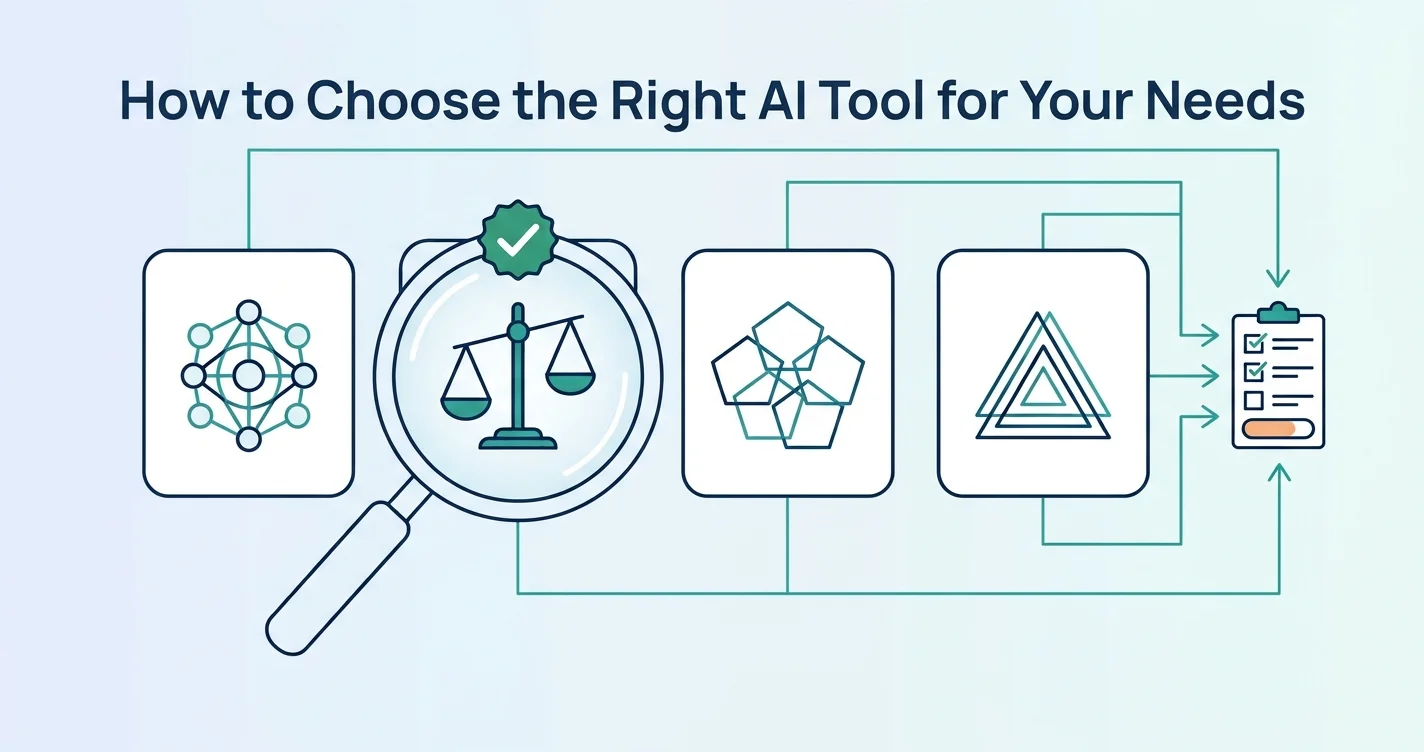
Choosing the right AI tool takes 7 steps: define the need, match the tool type, shortlist tools, score the criteria, test on real tasks, check privacy and security, and keep a backup tool. The steps come from ITU Online, Purdue University and Pitchavatar.
What are the steps to choose the right AI tool?
Choosing an AI tool takes 7 steps. The list names each step and the section that covers it.
- Define the need: Write one task, one user group and one measurable outcome.
- Match the tool type: Select the type of AI tool that does the task.
- Shortlist tools: Compare features, pricing and reviews across tools with a similar purpose.
- Score the criteria: Rate each tool on accuracy, privacy, security, cost, integration and the other criteria.
- Test on real tasks: Run each tool on real inputs and record the results.
- Check privacy and security: Confirm how the tool stores data and whether prompts train models.
- Keep a backup tool: Practice with a second tool, because tools change or end.
How do you define your needs before choosing an AI tool?
Defining the need means writing down the task, its complexity, how often it repeats and the budget, according to Pitchavatar. ITU Online adds a narrower frame: one workflow, one user group and one measurable outcome. The user, the reviewer and the owner of the result are named.
The table lists 6 questions with an example answer.
| Question | Example answer |
|---|---|
| What is the task? | Summarize weekly meeting recordings |
| How complex is the task? | Single step, with long audio input |
| How often does it repeat? | 4 times per month |
| What is the budget? | [AUTHOR TO ADD: monthly budget] |
| What is the measurable outcome? | Summary ready within 10 minutes of the meeting |
| Who uses it and who reviews it? | One team lead uses it, and one manager reviews it |
Which type of AI tool matches each need?
Each need maps to one type of AI tool. The table matches 11 common needs to a type and example tools. The full list of types is in Types of AI Tools and What They Do.
| Need | Tool type | Example tools |
|---|---|---|
| Answer questions and draft text in one chat | General-purpose assistant | ChatGPT, Claude, Gemini |
| Correct grammar and match brand voice | AI writing tool | Grammarly, Jasper |
| Generate images | AI image and design tool | Midjourney, Adobe Firefly, Canva AI |
| Turn a script into a presenter video | AI video tool | Synthesia, Runway |
| Generate voiceovers | AI audio tool | ElevenLabs |
| Write, explain and review code | AI coding tool | GitHub Copilot, Cursor |
| Find and compare academic papers | AI research tool | Elicit |
| Get web answers with source links | AI research tool | Perplexity |
| Transcribe and summarize meetings | AI meeting tool | Otter.ai, Granola |
| Connect apps and automate steps | Workflow automation tool | Zapier, Make, n8n |
| Analyze datasets in Python or R | AI data analysis tool | DataLab |
The tool descriptions come from Simplilearn, DataCamp and Fast.io.
How do you compare AI tools on the same criteria?
Comparing AI tools takes 10 criteria. The table lists each criterion with the check to run, according to Purdue and ITU Online.
| Criterion | What to check |
|---|---|
| Accuracy | The output can be verified in other sources, and a fixed test set scores correct |
| Privacy | The privacy policy is accessible and explicit, and states whether prompts or outputs train models |
| Security | Storage, retention, encryption, authentication, role-based access and activity logs are documented |
| Cost | Subscription fees, review and correction time, unused seats and lock-in risk are counted |
| Integration | API options exist, and outputs fit the next workflow step without manual copy-paste |
| Reproducibility | The tool gives consistent results under the same conditions |
| Scalability | Performance holds with growing workloads and large datasets |
| User experience | Ease of use, accessibility such as screen reader support, support and training resources |
| Bias | Outputs show no stereotypical results |
| Copyright and legal | Training data is transparent and sources are cited |
ITU Online recommends a weighted scorecard that covers fit, risk, cost and adoption. Each area receives a pass, caution or fail rating, with the reason documented. The template below shows the layout.
| Area | Weight | Tool A | Tool B | Reason |
|---|---|---|---|---|
| Fit | [your weight] | pass / caution / fail | pass / caution / fail | [note] |
| Risk | [your weight] | pass / caution / fail | pass / caution / fail | [note] |
| Cost | [your weight] | pass / caution / fail | pass / caution / fail | [note] |
| Adoption | [your weight] | pass / caution / fail | pass / caution / fail | [note] |

How do you test the accuracy of an AI tool?
Testing accuracy takes 5 actions, according to ITU Online:
- Use a fixed test set with known outcomes.
- Repeat each prompt to measure variability.
- Include edge cases, such as incomplete, noisy or contradictory inputs.
- Score correctness, completeness and usefulness.
- Use real inputs from the actual task.
Toronto Metropolitan University’s library adds a check against ground truth. The output is compared with human judgment, real-world examples and verifiable facts, according to its VALID-AI framework.
Run each shortlisted tool on 3 real tasks. Record the time spent, the errors found and the edits made.
How do you check the privacy and security of an AI tool?
Checking privacy and security means identifying the data the tool accesses and confirming how the tool handles it. ITU Online lists 9 checks:
- Identify the data the tool accesses.
- Confirm storage and retention.
- Confirm encryption.
- Confirm whether prompts or outputs train models.
- Check authentication.
- Check role-based access.
- Check admin oversight.
- Check activity logs.
- Review the vendor’s incident response and breach notification.
Purdue lists an accessible, explicit privacy policy as an indicator of privacy. Until the policy is confirmed, enter no sensitive data into the tool.
How do you calculate the real cost of an AI tool?
The real cost of an AI tool is the full expense of subscribing and using it, minus the value of the time saved. Purdue counts subscription fees. ITU Online counts 9 cost items:
- licenses
- implementation
- integration
- governance
- monitoring
- training
- review and correction time
- unused seats
- lock-in risk
ITU Online calculates net savings after reviewer time and does not use vendor claims. A simple formula applies the same logic. Monthly net value equals hours saved times the value of an hour. Subtract the subscription fee and the cost of review and correction time. [AUTHOR TO ADD: your own worked example with real figures]
How do small teams run a pilot of an AI tool?
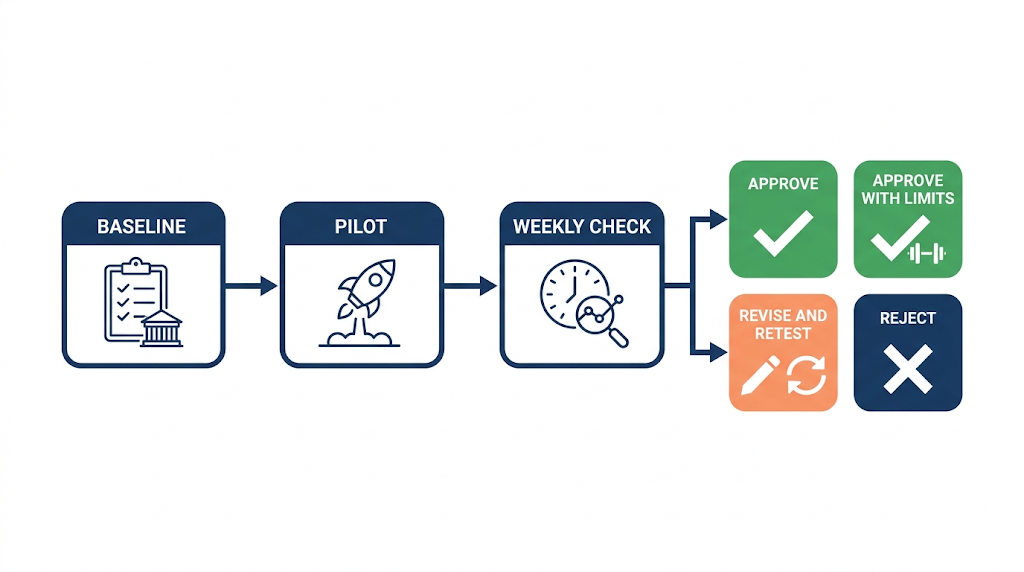
A pilot runs the tool with real users and real data under set success metrics. ITU Online sets 3 rules for a pilot:
- Set success metrics before starting.
- Track 6 metrics: turnaround time, adoption rate, correction rate, escalations, user satisfaction and first-pass quality.
- Compare each metric weekly against a baseline.
The pilot ends with 1 of 4 decisions: approve, approve with restrictions, revise and retest, or reject. The decision rests on documented evidence.
Why do you test free versions and keep a backup tool?
Free versions let a buyer test usability and quality before paying, and a missing free trial is a red flag, according to Pitchavatar. A backup tool protects the workflow, because tools can crash, change or be discontinued. Pitchavatar recommends practicing with the backup periodically.
Pitchavatar sells AI video software, so its advice comes from a vendor. The 2 points match ITU Online’s pilot approach, which tests with real users before approval.
What mistakes do people make when choosing an AI tool?
Sources point to 5 common mistakes.
- Skipping the defined need: A tool chosen without one workflow and one outcome has no measure of success, according to ITU Online.
- Trusting vendor claims: ITU Online counts net savings and does not use vendor claims.
- Relying on reviews alone: Reviews can be subjective or influenced by marketing, according to Pitchavatar.
- Paying before testing: Free versions and grace periods show usability and quality first.
- Using one tool only: Tools can change or be discontinued, so a backup tool protects the work.
Frequently asked questions
Where can I compare many AI tools in one place?
AI tools directories list tools grouped by function, with pricing data. Examples include There’s An AI For That, Futurepedia and Toolify.ai, according to Fast.io. Platforms that give access to 2 or more AI models through one account are covered in What Is an AI Aggregator?.
Do AI tools train on my prompts?
The answer depends on the tool. ITU Online lists “whether prompts or outputs train models” as a check to confirm in the vendor’s documentation before use.
How many AI tools are available to choose from?
Fast.io reports about 14,200 active AI tools in 2026. A broader count of about 47,000 includes beta, inactive and niche products found in directories.